
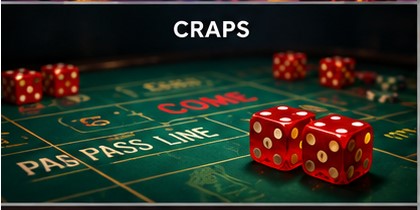

The beautiful Alligator Rose and I were practicing the other day and she was telling me about a defect in my throw—seems I was turning my hand at release casusing the dice to head to the far corner by the deleader at the other end of the table. I was having a hard time understanding exactly what she was saying. Then I saw the "light" go off over head and she left. In a few minutes she returned with her IPad and took several videls of me throwing the dice.
What a revelation. It will show you any flaws that you have. Be careful what you wish for as you just might get it. I did. I got exactly what I needed–and quickly too.
To be sure this will never–I repear never–replace the Elite Video but it is a small step in the right direction.
I was able to see exactly what you was referring to and make the correction. I have had 5 money making sessions at home since then.
Have your wife, girl friend (preferable not both at the same time), friend, neighbot or anybody else take the video. The IPad has a much larger screen than your phone and this will be a great help.
Try this technique. It will help.
Just my $.02 worth.
Doc
Replies:
Posted by: Guest on September 7, 2012, 12:59 am
As you know I love to see picture or charts.
Posted by: Goldfinger on September 7, 2012, 2:57 am
I have been using my wifes ipad since she got it for Christmas. I just hang it over the rail behind me and it checks my pickup, my set-up, my grip, and my takeaway. It is great. Its not fast enough for doing the release. Once in a while it will catch my hand opening. A great tool.
GOLDFINGER
Posted by: Stealthman on September 7, 2012, 3:47 am
It does need LOTS of light for it to look good. I currently have 4 fluorescent fixtures with a total of 12 bulbs above my practice area. Late at night there is a beacon going out my basement window.
BUT it helps you maybe see something. Does not help with analysis, but it shows some stuff that I know I should not be doing.
As Doc says does not replace the elite video but does give the person at home another tool to use and practice with so that we can hopefully get better. I am going sideways at the moment with this change of grip.
Posted by: ACPA on September 7, 2012, 6:21 pm
Posted by: SectionEight on September 9, 2012, 6:55 am
Check eBay for some video lighting. I bought several Smiths Victor Q80 lights several years ago for under $100. I just checked and there’s one Q80 for $40! There’s also some Q60s out there for as little as $25 each. The Q60s are 600 watt lights and are perfect for lighting up a slow motion craps session.
Good luck!
SectionEight
Posted by: Dr Crapology on September 9, 2012, 12:06 pm
Doc
Posted by: Stealthman on December 29, 2012, 3:29 pm
SloPro – takes slow motion videos. Just downloaded it and it seems to work okay. A least the price was right!
Will try it downstairs at the practice table later.
Jim
Posted by: Kingfisher on January 2, 2013, 9:13 pm
